You're probably staring at a growing collection of notes right now. A saved Instagram post for flowers. A half-finished guest list in your phone. A venue brochure in your inbox. A message from your mum asking who's sitting with Aunt Sarah. That's exactly when a wedding planning spreadsheet stops being a “nice to have” and starts becoming the tool that keeps the whole process calm.
The strongest spreadsheet isn't the prettiest one. It's the one that helps you make decisions quickly, spot problems early, and keep everyone working from the same version of the plan. At a historic venue, that matters even more. The day doesn't happen in one blank function room. It moves across ceremony space, drinks space, dining space, photo locations, access routes, setup windows, and supplier handovers.
A good wedding planning spreadsheet gives every one of those moving parts a place to live.
Laying the Foundation of Your Planning Spreadsheet
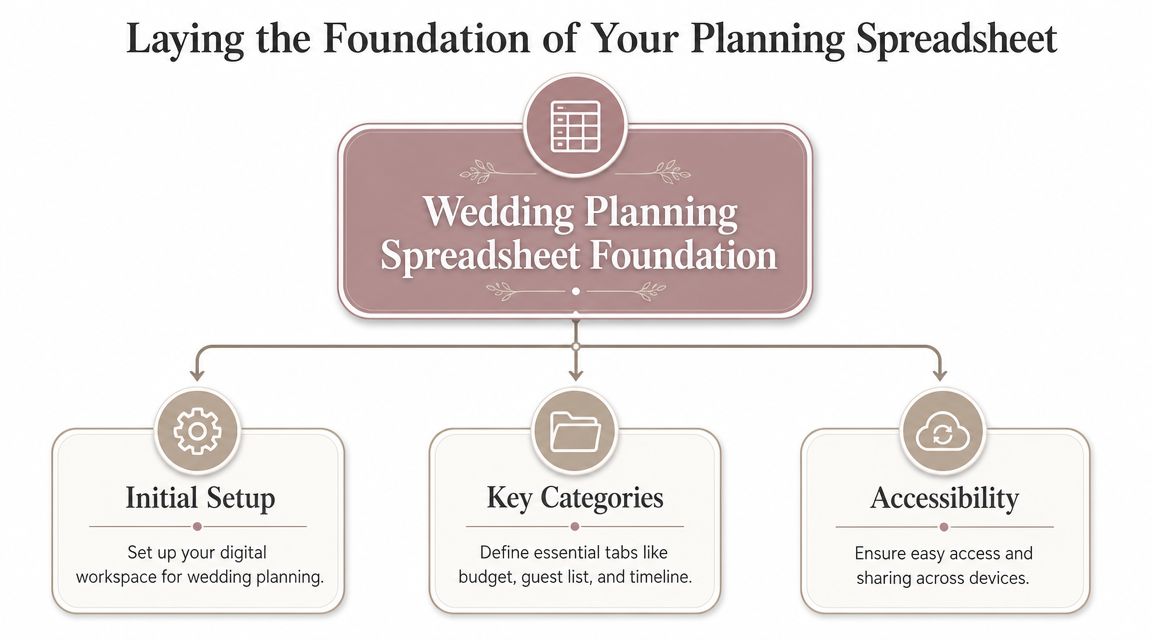
Most couples only need one planning system. The mistake is starting with five. If your budget is in one app, your guest names are in a note on your phone, and your supplier payments are buried in emails, the planning gets harder than it needs to be.
A wedding planning spreadsheet works because it mirrors how weddings are now organised in practice. Digital planning tools moved weddings away from paper lists and towards shared cloud documents, with Microsoft's wedding template built around expense tracking, category-based spending, and access from anywhere through the cloud in its wedding planning guidance. That collaborative model suits modern planning far better than static printouts.
Choosing Google Sheets or Excel
Use Google Sheets if several people need live access. That usually means you, your partner, and sometimes a planner or family member helping with logistics. It's especially useful for guest list updates, RSVP tracking, and quick changes when you're out viewing venues.
Use Excel if you prefer working offline, want tighter formatting control, or already know your way around formulas and printable sheets. Excel can feel more powerful for couples who want a polished master file and don't mind sharing exports rather than editing live.
A simple rule works well:
- Choose Google Sheets if collaboration matters most.
- Choose Excel if offline control and formatting matter most.
- Avoid switching later unless there's a clear reason. Migration often breaks formulas, dropdowns, and formatting rules.
Practical rule: Pick the platform you'll actually keep updated. The better tool is the one that gets used every week.
Building the core tabs
Start with four tabs only. You can add specialist tabs later, but these are the essential tabs.
| Tab | What it should track | Why it matters |
|---|---|---|
| Master checklist | Tasks, deadlines, owners, status | Keeps planning moving |
| Budget | Estimates, payments, balances | Stops overspending quietly |
| Guest list | Invitations, RSVPs, meal choices, notes | Drives catering and seating |
| Vendor tracker | Contacts, quotes, contracts, due dates | Prevents last-minute chasing |
Set up your master checklist with these columns: Task, Category, Due Date, Owner, Status, Notes. Keep the status field as a dropdown with options such as Not Started, In Progress, Waiting, Done. That lets you filter quickly rather than scrolling through a long to-do list.
Your guest list tab should already include more than names. Add address, email, invitation sent, RSVP status, plus-one, meal choice, dietary notes, accessibility notes, and table assignment. If you leave those fields out now, you'll end up rebuilding the whole thing later.
Make the structure work for a historic venue
A historic venue needs more than a generic checklist because the day often unfolds across different rooms and outdoor spaces. Your spreadsheet should reflect movement, timing, and access from the start.
Include a small planning block for venue logistics:
- Space use: Ceremony room, drinks area, dining room, evening area
- Access notes: Supplier loading route, step-free routes, parking notes
- Setup window: What can arrive when, and who's responsible
- Weather backup: Outdoor plan and indoor alternative
That small addition makes a standard wedding planning spreadsheet far more useful when you're coordinating a day with more complexity than a single-room event.
Mastering Your Wedding Budget Tracker
If there's one tab that deserves proper attention, it's the budget. UK households' spending on “wedding ceremonies” appears as a distinct category in the Office for National Statistics' Consumer Trends tables, with annual spending measured in the millions of pounds, which is why budget tracking isn't a decorative extra in a spreadsheet. It's the core control system for a multi-category plan where even a small overrun can mean hundreds or thousands of pounds, as noted in this discussion of UK wedding spending and budgeting.
The columns that actually matter
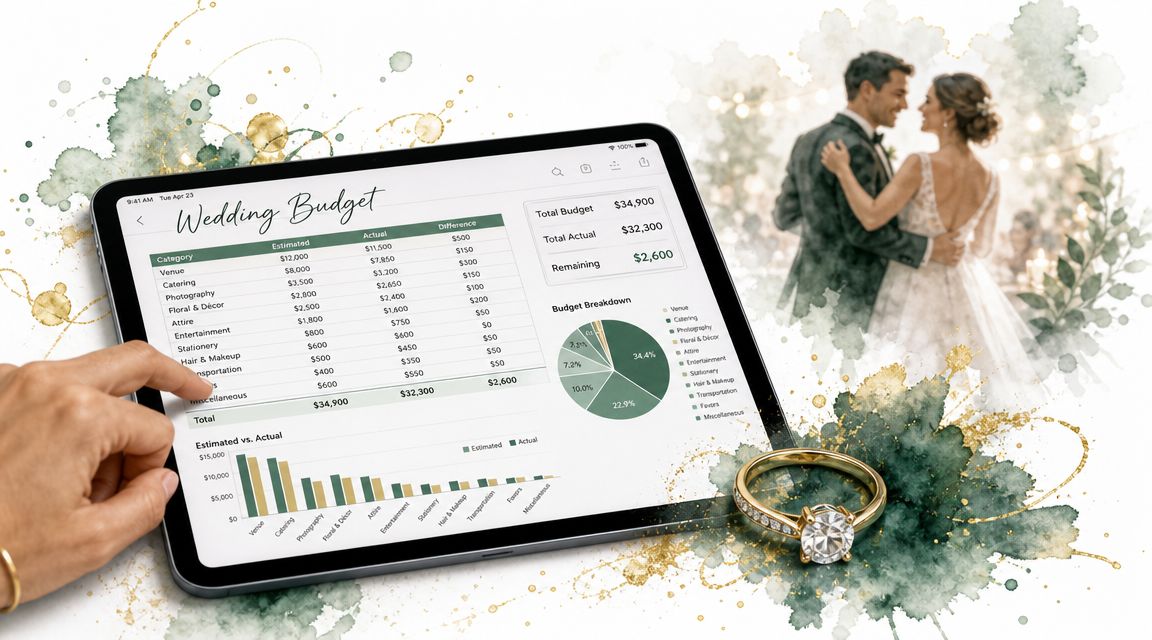
A wedding budget sheet should be dynamic, not a long wish list. Use these columns:
- Category
- Supplier or item
- Estimated cost
- Actual cost
- Deposit due
- Deposit paid
- Final balance due
- Amount paid to date
- Remaining balance
- Payment status
- Notes
That structure handles the practicalities of wedding spending. Very few things are paid in one clean transaction. You'll usually be managing staged payments, upgrades, and late additions.
Use formulas for:
- total estimated spend
- total actual spend
- total paid
- total outstanding
- difference between estimate and actual
If you're more comfortable starting from a framework, these Excel-based wedding budget insights are useful for shaping category logic and formula setup.
Build categories around real decisions
Don't lump everything under broad labels like “venue” or “decor”. Break categories to the point where the sheet helps you choose, but not so far that updating it becomes a chore.
A practical version looks like this:
| Category | Examples to include |
|---|---|
| Venue hire | Exclusive use, ceremony space, extension time if applicable |
| Catering | Wedding breakfast, evening food, children's meals |
| Drinks | Reception drinks, wine, toast drinks, soft drinks |
| Photography and film | Main package, albums, extra hours |
| Attire | Dress, alterations, suit hire or purchase, accessories |
| Flowers and styling | Bouquets, table flowers, candles, hired styling items |
| Stationery | Save the dates, invitations, menus, place cards |
| Music and entertainment | Ceremony music, DJ, band |
| Transport | Couple transport, guest shuttles if needed |
| Admin and contingency | Insurance, postage, buffer for changes |
For venue-led planning, it helps to compare your early assumptions against a realistic benchmark. A practical reference point is this guide to the average cost of a wedding, which can help you sense-check whether your opening estimates are proportionate.
If your venue offers catering packages and drinks options, enter them as separate lines. Couples often merge them too early, then struggle to see where the money is actually going.
How to use a Battle Abbey-style structure
At a historic venue such as Battle Abbey, your budget usually isn't one headline figure. It's built from linked decisions. Venue hire sits in one line. Catering often works per guest. Drinks may sit in packages or selected options. That means your sheet should separate fixed costs from guest-dependent costs.
Use a simple split:
- Fixed costs: Venue hire, photographer, band, attire
- Variable costs: Catering, drinks, stationery, favours
- Semi-variable costs: Florals, transport, furniture hire
This helps when your guest list changes. If your numbers move, you don't need to rebuild the entire spreadsheet. You only need to update the lines that scale with attendance.
Add one final category that many couples resist and nearly all benefit from. Contingency. It covers the quiet extras: extra candles, revised place cards, umbrellas, more soft drinks, last-minute delivery, or an extra staff cost tied to timing. Without it, every surprise feels like a budget failure.
A budget tab should lower stress, not just report it. If your sheet shows what's booked, what's due next, and what still has room to move, you're planning from a position of control.
A short visual walkthrough can also help if you prefer to build while watching the process.
Organising Your Guest List and Seating Plan
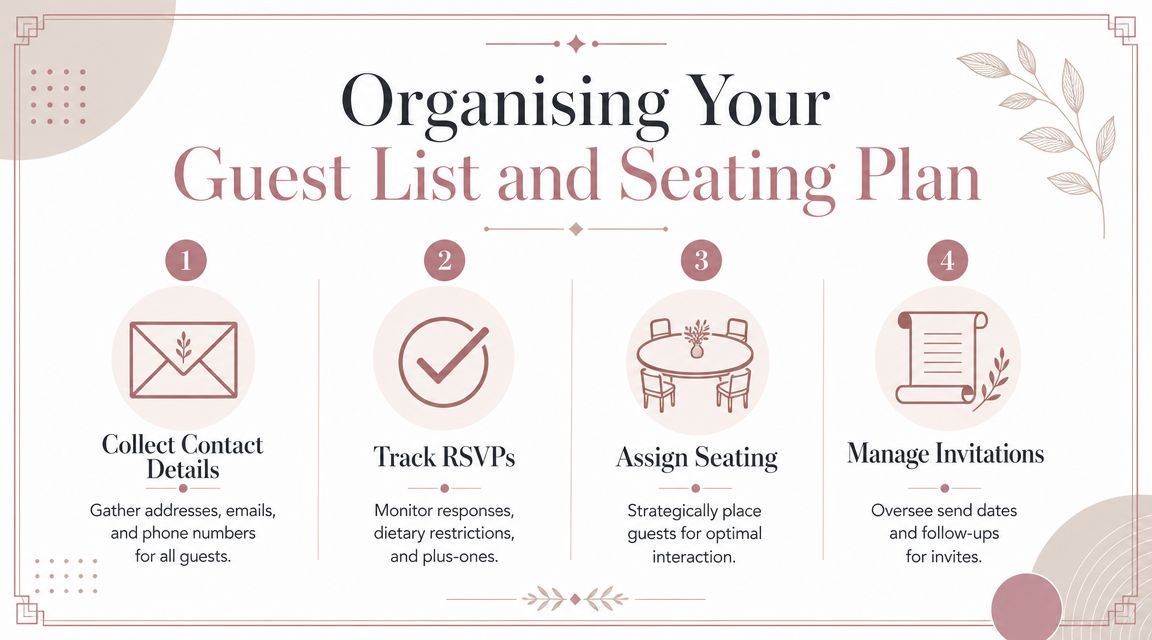
Guest list management looks emotional on the surface, but operationally it's data work. Every RSVP affects catering, table planning, room layout, dietary service, and final numbers. If your guest tab is tidy, most of the difficult admin becomes easier.
A strong guest sheet acts as a live database. It shouldn't just tell you who's invited. It should tell you what each person needs from the day.
What to include in your guest tracker
Start with the obvious fields, then add the ones couples usually realise they need too late.
- Names and household grouping: Keep couples and families linked for invitations and table planning.
- Contact details: Postal address first, then email and mobile if you're sending updates digitally.
- Invitation status: Not sent, sent, delivered, chasing reply, accepted, declined.
- Attendance details: Day guest or evening guest, plus-one status, children attending.
- Food details: Meal selection, dietary requirements, allergies, children's meals.
- Seating fields: Table number, seat notes, family group, priority relationships.
- Accessibility notes: Mobility needs, step-free route, hearing support, accessible parking needs.
Generic spreadsheet advice often misses accessibility, which is a gap worth fixing. The UK government's Family Resources Survey estimates 16.1 million disabled people in the UK, 24% of the population, so adding fields for step-free access, hearing loops, or other practical needs can reduce friction for a significant share of guests, especially at heritage venues, as discussed in this piece on wedding planning tools and accessibility notes.
Turn the guest list into a working tool
Dropdowns make this tab much easier to maintain. RSVP status, meal choice category, and invitation stage should all be standardised. Free-text entries create chaos when you try to count accepted guests or dietary needs later.
For example, don't let one cell say “yes”, another say “Accepted”, and another say “coming”. Use one dropdown field only. Your formulas will thank you.
Practical templates can help. If you want a starting point for structure, these actionable guest list insights are useful for shaping fields and tracking logic without boxing you into a rigid format.
Guests don't experience your spreadsheet, but they do experience the results of it. Smooth arrivals, correct meals, and thoughtful seating all begin in this tab.
Drafting a seating plan from the data
Once replies start arriving, duplicate your guest tab into a separate seating tab or use filters to work from accepted guests only. Add columns for relationship grouping, age considerations, and conversational fit. That gives you a working seating draft instead of dragging names around blindly.
A historic venue often needs a bit more care here because room shape influences table strategy. If your day includes a more intimate setting like the Dining Room or a grander meal in the Duke's Library, the seating logic may change. One room suits long family clusters. Another suits evenly balanced tables.
A useful companion when building the data side of this is a dedicated wedding guest list template, especially if you want a cleaner handoff between invitation tracking and table planning.
Try this sequence for seating:
- Place immediate family first.
- Seat older guests with easy access in mind.
- Group friendship circles next.
- Use flexible tables for divorced families, new partners, or sensitive dynamics.
That last point matters more than people think. The best seating plan isn't the one that looks symmetrical on screen. It's the one that keeps the room settled and relaxed on the day.
Tracking Vendors and Your Master Timeline
Supplier tracking and timeline planning shouldn't live in separate worlds. In practice, they're the same system viewed from two angles. One tells you who is responsible for each moving part. The other tells you when each moving part must happen.
That connection matters in the UK market because marriages are strongly concentrated in summer months, according to the ONS marriage and civil partnership statistics referenced in Microsoft's wedding planning support guidance. In spreadsheet terms, that means your plan should work backwards from the wedding date so payment deadlines, contracts, and confirmations don't all pile into the final stretch.
Build a vendor tracker that does more than store phone numbers
Your vendor tab should be compact but complete. Include:
| Field | Why it belongs there |
|---|---|
| Supplier name and service | Quick identification |
| Main contact and mobile | Faster than searching emails |
| Email and website | Easy reference for paperwork |
| Contract signed | Confirms booking status |
| Deposit paid | Prevents duplicate checks |
| Final payment due | Flags time-sensitive items |
| Arrival time | Supports the run sheet |
| Setup needs | Crucial for heritage venues |
| Notes | Holds agreed details and exceptions |
For a venue with multiple event spaces, add one more field: location of service. That single column helps you avoid confusion between ceremony musicians, terrace drinks suppliers, dining room florals, and evening entertainment.
Work backwards from the wedding date
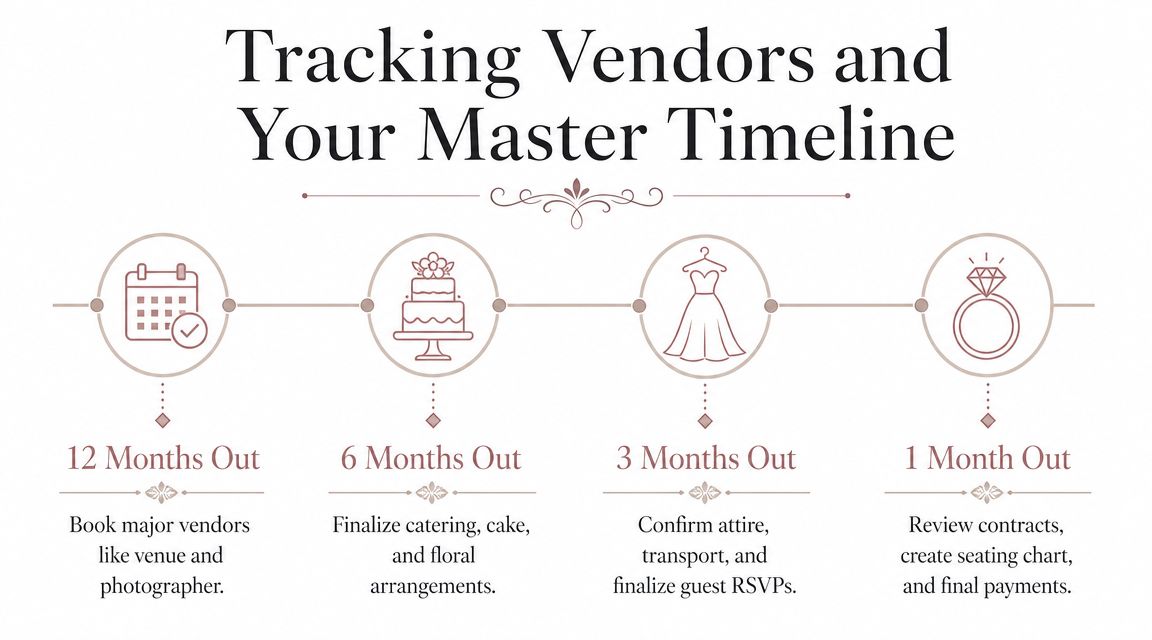
The timeline tab should not be a sentimental countdown. It should be a reverse-engineered production schedule.
Start with the wedding date at the top, then enter key milestones in reverse order:
- final guest count due
- seating plan freeze
- final menu confirmation
- final balances
- supplier timing confirmations
- ceremony planning details
- invitation deadlines
- major booking dates
Then connect each milestone back to a vendor or task owner. If the florist's final confirmation is due before your seating plan is locked, note that dependency. If the caterer needs final numbers before table stationery is printed, connect those too.
A venue-specific timeline is where this becomes particularly useful. At Battle Abbey, for example, couples may need to coordinate day-before setup access, in-house catering deadlines, and the timing of transitions between ceremony, drinks, and dinner. A practical starting point for that kind of planning is a wedding day timeline template.
The common failure isn't forgetting one big task. It's letting six dependent tasks drift into the same week.
A cleaner way to connect vendors and deadlines
Use one shared reference number for linked items. For example, your caterer line on the vendor tab and your final guest count deadline on the timeline can both carry the same reference code. It's a small planner's trick, but it makes troubleshooting much quicker.
Colour coding helps too:
- green for booked and paid
- amber for booked with action pending
- red for overdue or unconfirmed
- blue for venue-managed items
That gives you a dashboard effect without building anything complicated. One glance should tell you what needs attention now, what's settled, and what still depends on another decision.
Advanced Customisation for a Flawless Wedding Day
Once the main tabs are working, customisation turns the spreadsheet into a day-of operations tool. This enables organised couples to save themselves from frantic searching, crossed wires, and those avoidable “who has that number?” moments.
Use formatting to make problems visible
Conditional formatting is one of the simplest upgrades with the biggest payoff. Set rules so overdue tasks turn red, payment deadlines due soon turn amber, and completed items fade into grey or green. You shouldn't have to read every line to understand what needs attention.
Apply the same logic to the budget and guest list:
- overspend against estimate
- missing meal choices
- unanswered RSVPs
- supplier records missing arrival times
Printed views matter as well. Create clean, filtered versions of:
- final supplier contacts
- guest list with dietary and accessibility notes
- table plan summary
- payment schedule
- ceremony and reception run sheet
Keep these in separate print-friendly tabs so you're not trying to squeeze a huge working spreadsheet onto paper the night before.
Add a sustainability tab that reflects real choices
Most templates stop at money and guests, but many couples now want to track sourcing, waste, and practical sustainability decisions too. There's a clear content gap here. Couples are asking more often about local sourcing and reduced waste, while WRAP's guidance continues to stress that food decisions affect waste outcomes. A wedding planning spreadsheet can handle that beautifully if you give it one dedicated tab.
Track fields such as:
- supplier location
- local sourcing notes
- reusable or hired items
- single-use items to avoid
- leftover food plan
- packaging notes
- donation or reuse options after the wedding
This doesn't need to become a carbon accounting exercise. It gives sustainability the same status as budget and logistics, which is usually enough to improve decisions.
Build a proper day-of run sheet
The final tab should be your day-of run sheet. This is different from the long planning checklist. It's a short operational schedule used by the people delivering the day.
For a Battle Abbey-style flow, that might include the ceremony in the Abbot's Hall, drinks and canapés on the Top Terrace, photographs across the grounds, and dinner in the Duke's Library. Structure the tab by time, location, action, owner, and backup note.
A useful format looks like this:
| Time | Location | Action | Owner | Note |
|---|---|---|---|---|
| Morning | Venue access point | Supplier arrivals and unloading | Planner or designated contact | Confirm access route |
| Pre-ceremony | Abbot's Hall | Final ceremony setup check | Venue and stylist | Check chairs, florals, order of service |
| Post-ceremony | Top Terrace | Drinks reception begins | Catering team | Weather backup noted |
| Call to dinner | Route to dining space | Guide guests to meal | MC or coordinator | Allow extra time for slower-moving guests |
That last note matters at a heritage venue. Moving guests between spaces takes longer than couples expect, especially when people stop for photos, need assistance, or don't hear the first announcement.
A polished spreadsheet doesn't create a flawless wedding on its own. But it gives everyone the right information at the right time, and that's usually what smooth weddings are made of.
Frequently Asked Questions
| Question | Answer |
|---|---|
| Should we use one shared spreadsheet or keep separate versions? | Use one shared master file. Separate versions create conflicting guest counts, duplicated tasks, and payment mistakes. If family members need visibility, share view-only tabs or exports rather than letting everyone edit the core sheet. |
| Can a wedding planning spreadsheet work well on mobile? | Yes, if the structure is simple. Keep dropdowns standardised, freeze header rows, and avoid overly complex formulas in tabs you'll update on your phone. Mobile works well for checking tasks, updating RSVPs, and confirming supplier details while you're on the move. |
| Are templates worth using, or should we build our own? | Start with a template if it saves time, then customise it quickly. Templates are useful for tab structure and formulas, but they're often too generic for a historic venue, multi-space schedule, accessibility planning, or venue-specific setup notes. |
If you're planning a wedding with multiple event spaces, outdoor drinks areas, in-house catering coordination, and day-before setup logistics, a venue with a clear planning process makes your spreadsheet far easier to manage. Battle Abbey Weddings provides factual planning information around ceremony and reception spaces, guest capacities, catering options, and timeline support, which gives couples a practical framework for building a more accurate wedding planning spreadsheet from the start.